For Humans
Setup, Studio, architecture, and how to work alongside the agent.
Getting Started
Install the Plugin
In Claude Code:
/plugin marketplace add msilverblatt/harness-ml
/plugin install harnessml@msilverblatt-harness-ml
This installs the MCP server and 10 experiment discipline skills. Then just tell Claude what you want to predict.
Full Setup (with Studio + Demo)
If you also want the companion dashboard and a demo project to try:
git clone https://github.com/msilverblatt/harness-ml.git && cd harness-ml
uv sync
uv run harness-setup
The setup command configures everything, creates a demo project with the California Housing dataset, starts Studio at http://localhost:8421, and launches Claude Code with a demo prompt.
Manual MCP Setup
If you prefer to configure the MCP server directly without the plugin, add to your .mcp.json:
{
  "mcpServers": {
    "harness-ml": {
      "command": "pmcp",
      "args": ["run", "/path/to/harness-ml/packages/harness-plugin/src/harnessml/plugin/server.py"]
    }
  }
}
For dev mode with hot-reload (all handler changes take effect automatically):
{
  "mcpServers": {
    "harness-ml": {
      "command": "pmcp",
      "args": ["dev", "/path/to/harness-ml/packages/harness-plugin/src/harnessml/plugin/server.py"]
    }
  }
}
Then tell Claude what you want to predict.
Harness Studio
A companion dashboard that runs alongside the agent, giving you full observability into what it’s doing.
uv run harness-studio --project-dir examples/ames-housing
# → http://localhost:8421
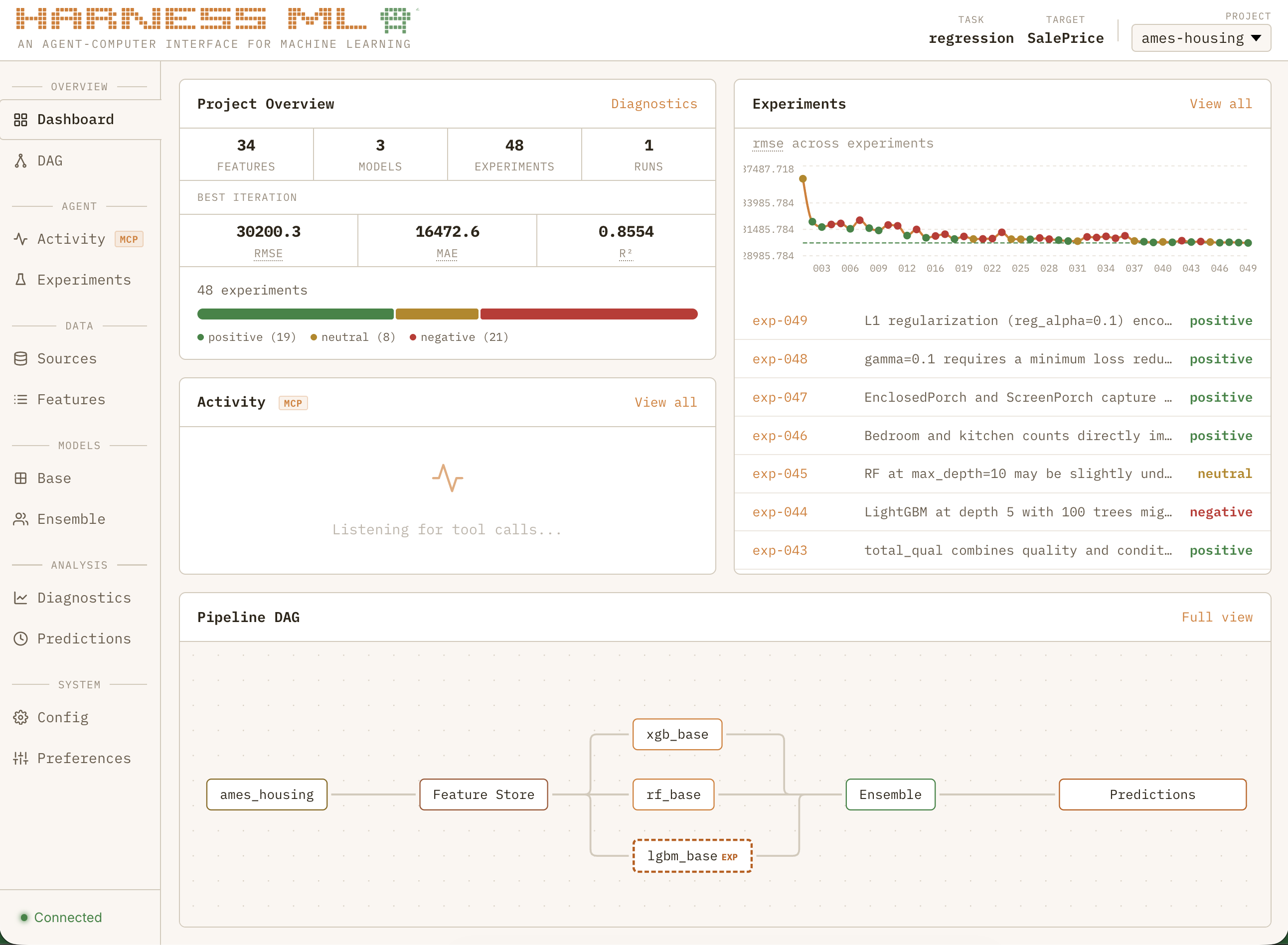
Dashboard
Project vitals, experiment verdict breakdown, primary metric trend with error bars, live MCP activity feed, and a mini pipeline DAG — all updating in real time as the agent works.
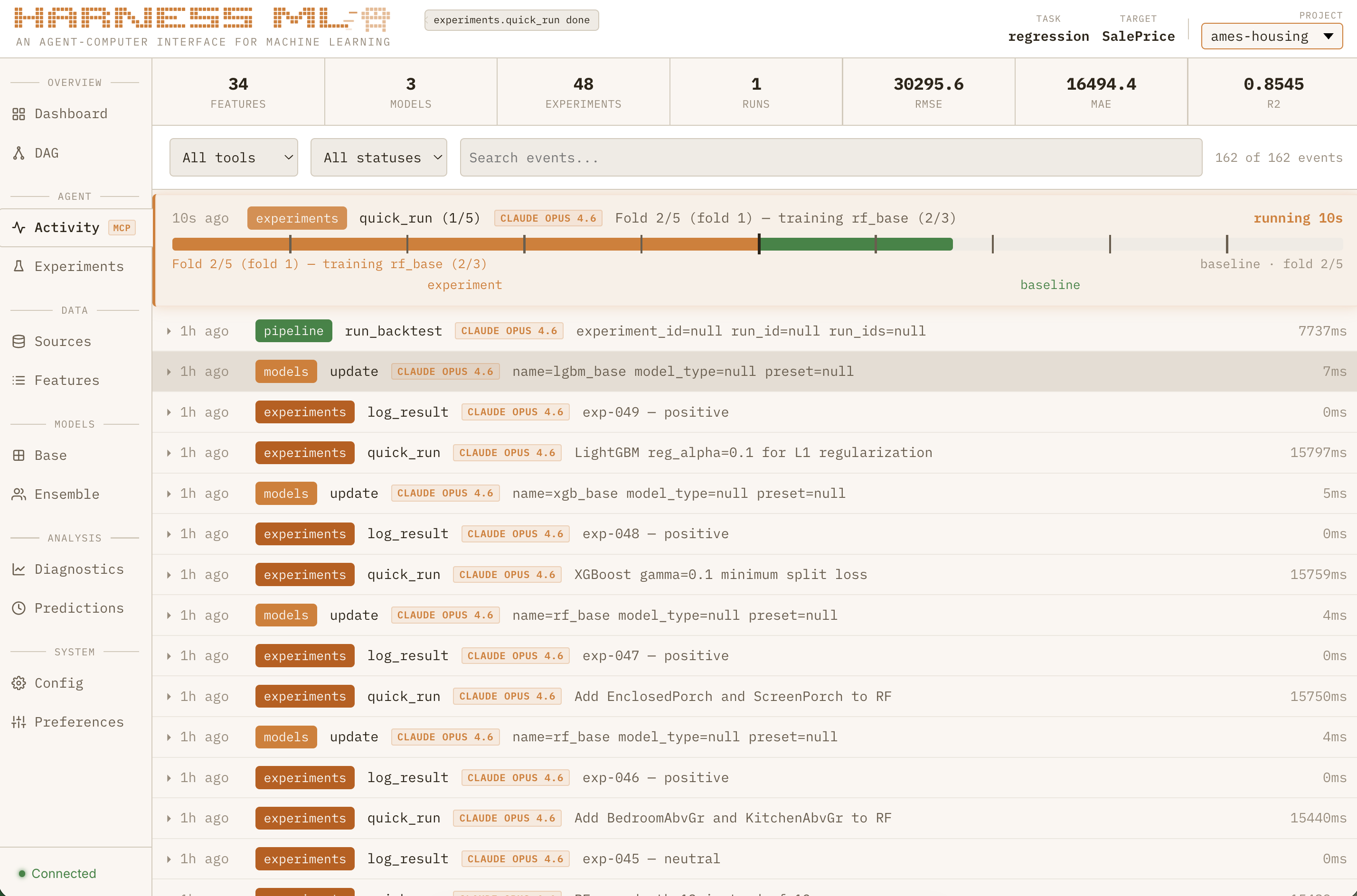
Activity Feed
Live stream of every MCP tool call with full parameters and results. Watch the agent work in real time.
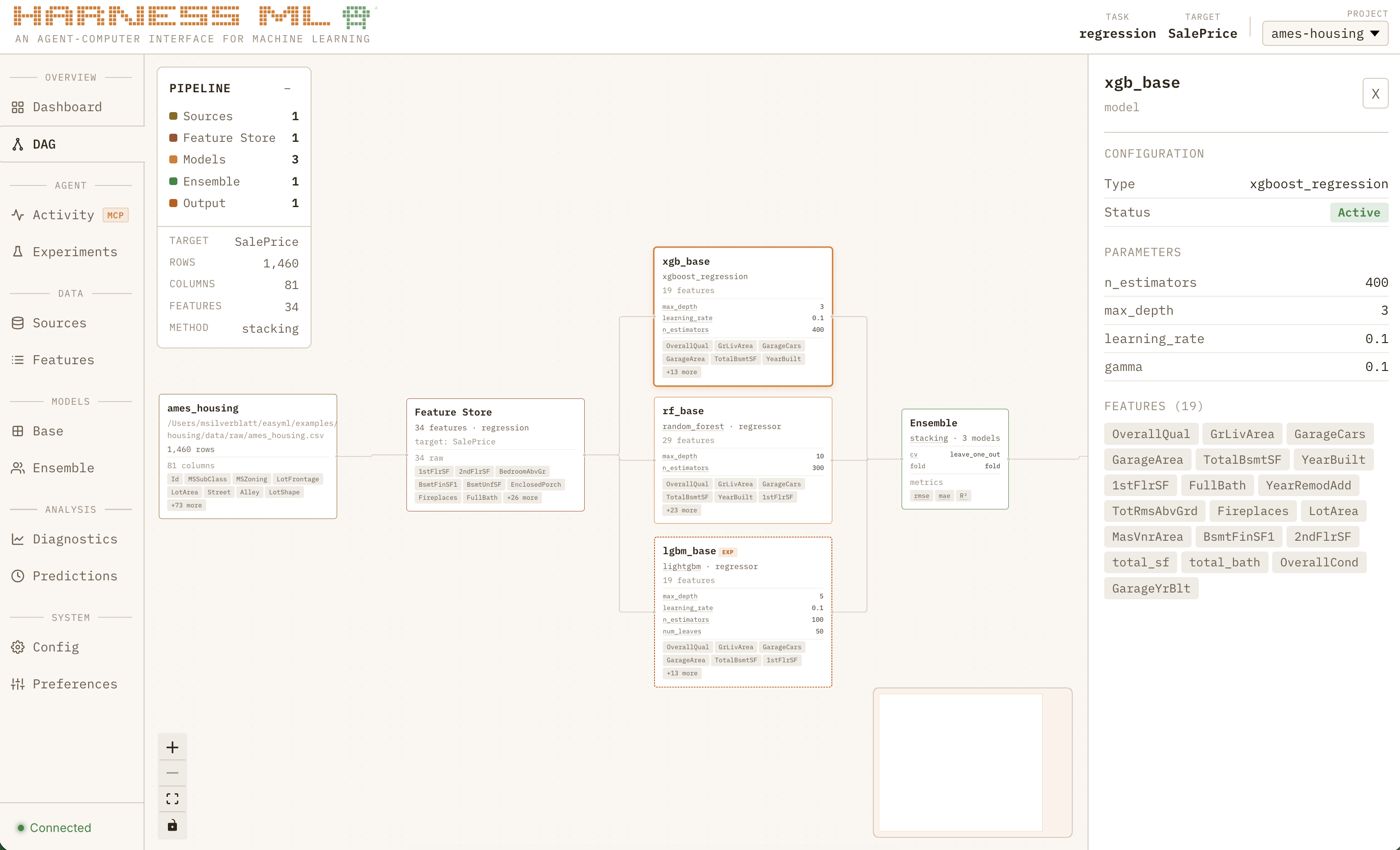
Pipeline DAG
Interactive pipeline topology. Click any node for full config details. Models added by experiments show with dashed borders and EXP badges.
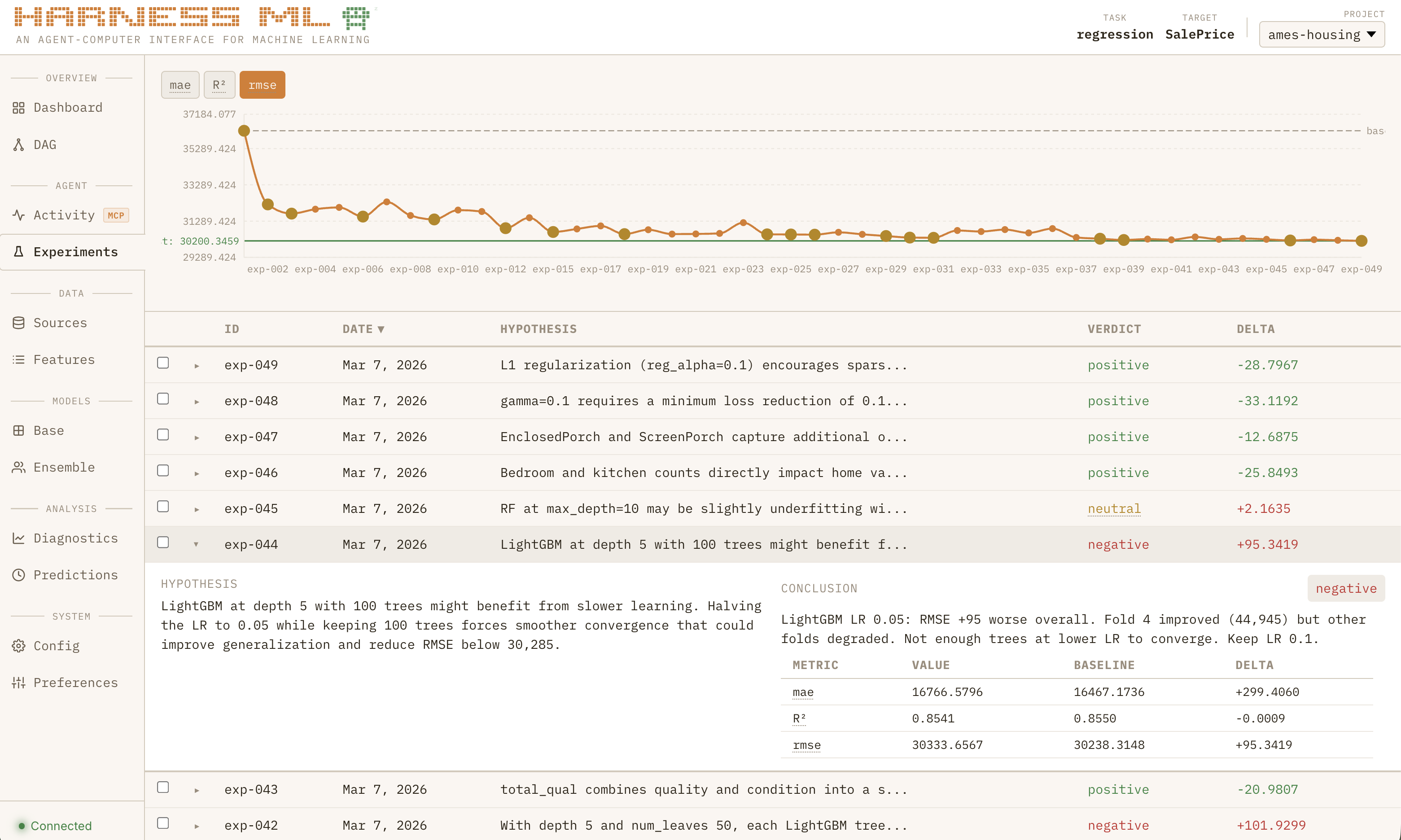
Experiments
Every experiment with its hypothesis, verdict, and metric deltas. Trend chart tracks the primary metric across iterations.
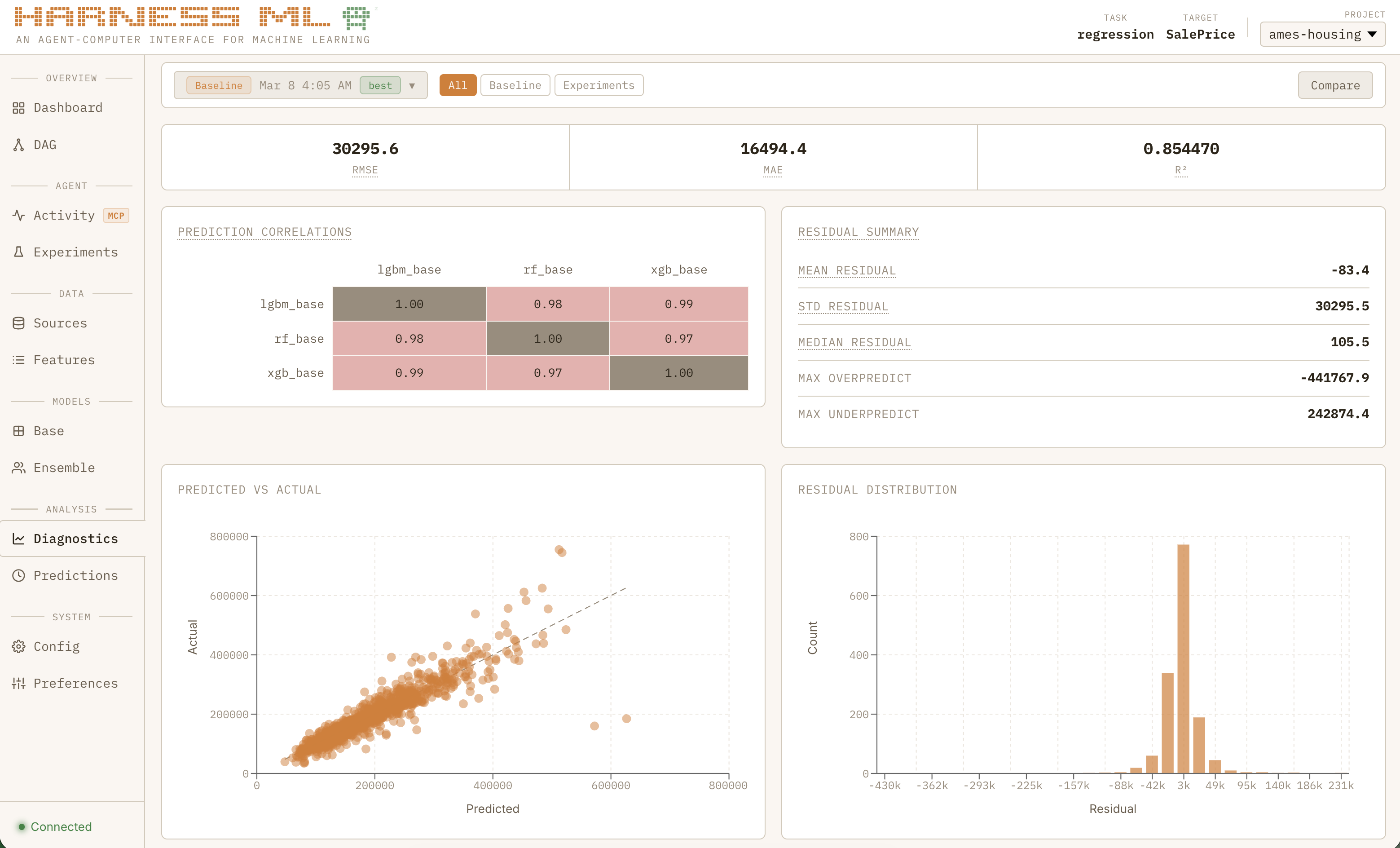
Diagnostics
Per-run deep dive: headline metrics, meta-learner coefficients, model correlation heatmap, calibration curves, and per-fold breakdown.
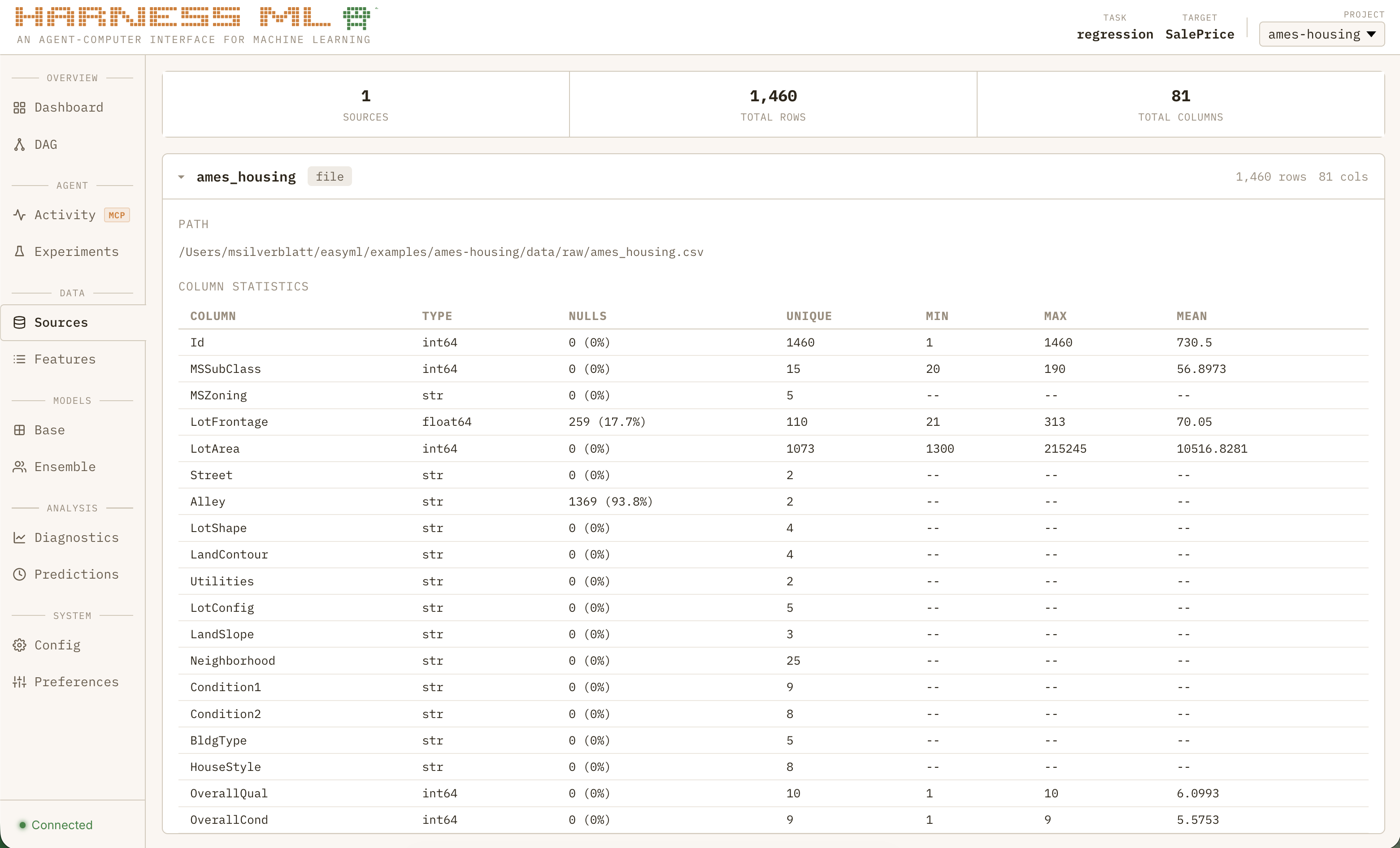
Data Sources
Overview of ingested data, registered features, and view definitions.
Architecture
Harness ML is a uv workspace monorepo with four packages:
┌─────────────────────────────────────────────────────────┐
│                     harness-core                        │
│  schemas · config · guardrails · models · runner        │
│  feature_eng · calibration · views · sources            │
├────────────────────────┬────────────────────────────────┤
│    harness-plugin      │       harness-sports           │
│    MCP server (pmcp)   │       domain plugin            │
│    workflows + groups  │       matchup prediction       │
├────────────────────────┴────────────────────────────────┤
│                    harness-studio                       │
│    companion dashboard · real-time observability        │
│    FastAPI + React · SQLite events · WebSocket live     │
└─────────────────────────────────────────────────────────┘
harness-core is the engine — Pydantic v2 schemas, OmegaConf config, 13 model wrappers (XGBoost, LightGBM, CatBoost, Random Forest, Logistic, ElasticNet, MLP, TabNet, TabPFN, SVM, HistGBM, GAM, NGBoost), a declarative view engine with 22 transform steps, 4 calibration methods, 8 CV strategies, 45 metrics across 6 task types, and 17 guardrails (4 non-overridable). Includes leakage-safe preprocessing, feature selection, drift detection, conformal prediction, and SHAP explainability.
harness-plugin is built on protomcp. Each handler is a @tool_group class with @action methods, giving the LLM clean per-action schemas instead of a monolithic parameter blob. The experiment lifecycle uses a protomcp @workflow with dynamic tool visibility — the agent can only see valid next steps at each point, structurally enforcing experiment discipline. Cross-cutting concerns (error formatting, event emission, Studio lifecycle) are handled by protomcp middleware and telemetry sinks.
harness-studio is the companion dashboard. It reads existing project artifacts (config YAMLs, experiment journals, run outputs) and a SQLite event log. If Studio is down, nothing breaks.
harness-sports is an optional domain plugin that hooks into core via a registry pattern, adding matchup prediction, Monte Carlo simulation, and bracket optimization.
Technology Decisions
Why MCP over a CLI tool? A CLI gives agents string-in, string-out — exactly the unstructured I/O that leads to context waste and hallucinated results. MCP gives them a contract: validated inputs, typed responses, non-overridable guardrails, blocking async to prevent polling loops, and native progress notifications.
Why a monorepo with 4 packages? Separation of concerns. The core engine has zero knowledge of MCP. The MCP server is a thin dispatcher with zero business logic. Studio reads artifacts without modifying them. Any package can be replaced independently.
Why YAML configs over code? Agents are terrible at maintaining large codebases across sessions. YAML configs are declarative, diffable, and survive context resets. When Claude starts a new session, it reads the config and knows the full state of the project.
Why hot-reloadable handlers? During development, the MCP server stays running while handler code changes take effect on the next call. Claude never has to wait for a server restart or lose its connection.
Why SQLite for Studio events? WAL mode gives concurrent read/write without locks. The event store is append-only and fail-safe — zero impact on the training pipeline.
Frontend Development
cd packages/harness-studio/frontend
bun install
bun run dev                                      # Vite dev server on :5173
bash ../scripts/build_frontend.sh                # build + copy to Python package
Running Tests
uv run pytest                                    # all tests
uv run pytest packages/harness-core/tests/        # core tests
uv run pytest packages/harness-sports/tests/      # sports plugin tests
uv run pytest packages/harness-studio/tests/      # studio tests
uv run pytest -v                                 # verbose
Requires Python 3.11+. Managed by uv. Studio frontend uses bun.